
Written by Thomas Martin
Personal Finance Writer & Content Researcher at Monezaro.
[Read Thomas Martin’s profile]
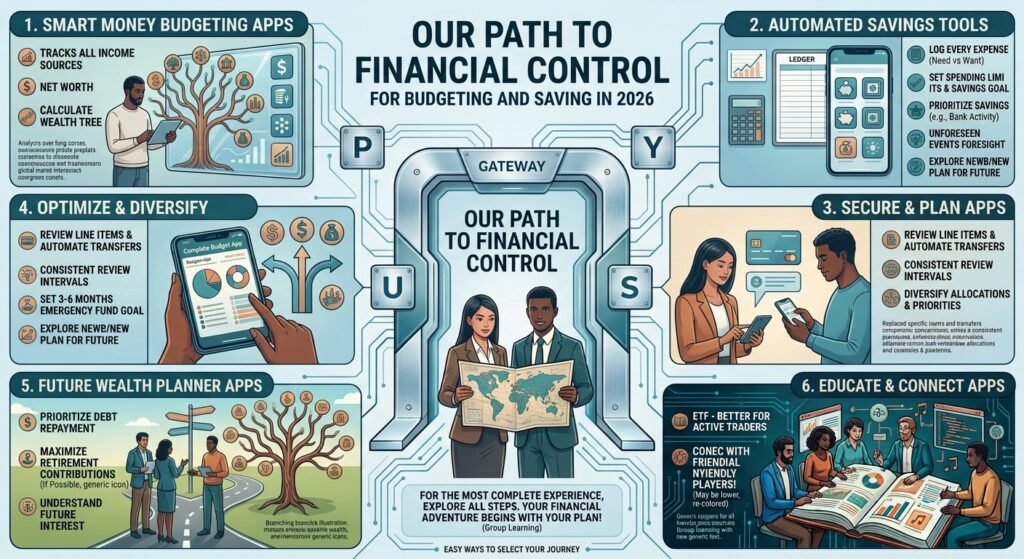
Best Money Management Apps for Budgeting and Saving in 2026
Managing money has become easier than ever with modern budgeting and personal finance apps. Instead of tracking expenses manually in a notebook or spreadsheet, you can use an app to monitor spending, create budgets, set savings goals, track bills, and understand where your money is going.
The best money management app depends on your financial habits and goals. Some apps are designed for detailed zero-based budgeting, while others focus on giving you a complete picture of your financial life. Some help identify recurring subscriptions and unnecessary expenses, while others are better suited for tracking investments, net worth, or household finances.
In 2026, popular options include YNAB, Monarch Money, Rocket Money, Quicken Simplifi, EveryDollar, and Copilot Money. Current comparisons show that these apps serve different types of users rather than one app being perfect for everyone.
In this guide, Monezaro compares some of the best money management apps for budgeting and saving in 2026, explains what each one does best, and shows you how to choose the right option for your financial situation.
Disclaimer: This article is for general educational and informational purposes. App prices, features, availability, and terms can change. Always check the provider’s current information before subscribing or connecting financial accounts.
What Is a Money Management App?
A money management app is a digital tool that helps you organize and monitor your personal finances.
Depending on the app, you may be able to:
- Create a monthly budget
- Track income
- Categorize expenses
- Connect bank accounts
- Monitor credit cards
- Set savings goals
- Track subscriptions
- Monitor bills
- Track debt
- Monitor investments
- Calculate net worth
- Review spending trends
- Receive financial alerts
The goal is simple: give you a clearer picture of your money so you can make better financial decisions.
Some apps focus heavily on budgeting, while others function more like complete personal finance dashboards.
Why Use a Budgeting App in 2026?
Budgeting can be difficult when you have multiple bank accounts, credit cards, subscriptions, loans, bills, savings goals, and investments.
A good money management app can bring much of this information together.
Instead of asking yourself, “Where did all my money go this month?” you can review your spending categories and identify patterns.
For example, you might discover that:
- Dining expenses are higher than expected
- Several subscriptions are rarely used
- Grocery spending has increased
- Credit card balances are growing
- Savings contributions are inconsistent
- Monthly bills are consuming more income than planned
This information can help you make practical adjustments.
Many modern budgeting apps also automate transaction tracking and categorization, reducing the amount of manual work required.
Best Money Management Apps in 2026
1. YNAB — Best for Zero-Based Budgeting
YNAB, short for You Need A Budget, is one of the strongest choices for people who want an intentional, hands-on budgeting system.
Its core approach is zero-based budgeting. Instead of simply tracking where your money went, the system encourages you to give your available money a specific purpose.
For example, your available money might be assigned to:
- Rent
- Groceries
- Utilities
- Transportation
- Emergency savings
- Vacation
- Debt repayment
- Entertainment
This approach can be particularly useful if you frequently overspend or struggle to know how much money is actually available for discretionary purchases.
Current 2026 comparisons list YNAB at around $14.99 per month or $109 per year, although pricing should always be confirmed directly with the provider.
Best for:
- Serious budgeters
- Zero-based budgeting
- People trying to control spending
- Debt payoff planning
- Goal-oriented savers
- People who want a structured budgeting method
Potential drawback:
YNAB requires active participation. If you want an app that simply monitors your finances without requiring much budgeting work, another option may be more suitable.
2. Monarch Money — Best for Overall Financial Management
Monarch Money is designed to provide a broad overview of your financial life.
Rather than focusing only on monthly expenses, Monarch can help users monitor areas such as:
- Budgeting
- Cash flow
- Net worth
- Investments
- Savings goals
- Recurring expenses
- Debt
- Household finances
It can be particularly useful for couples and families who want to view household finances together.
For 2026, current comparisons list Monarch’s Core plan at approximately $14.99 per month or $99.99 per year, though promotional offers and plan details may change.
One advantage is that multiple household members can use a subscription, making it useful for shared financial planning.
Best for:
- Families
- Couples
- Net worth tracking
- Investment tracking
- Comprehensive financial dashboards
- People moving away from older budgeting platforms
Potential drawback:
Monarch does not focus primarily on zero-based budgeting, so users who want a very strict every-dollar approach may prefer YNAB.
3. Rocket Money — Best for Finding Unnecessary Expenses
Rocket Money takes a different approach to money management.
Instead of focusing exclusively on traditional budgeting, it also helps users identify recurring expenses and subscriptions.
This can be valuable because subscriptions are easy to forget.
You might be paying for:
- Streaming services
- Fitness memberships
- Software
- Apps
- Cloud storage
- Online memberships
- Other recurring services
Rocket Money can help users identify recurring charges and, depending on the service and plan, offers additional tools related to subscriptions and bill management.
Current 2026 comparisons list a free option and Premium pricing in the general range of $7–$14 per month, though the exact terms can vary.
Best for:
- Finding recurring subscriptions
- Reducing unnecessary expenses
- People who want a simpler budgeting experience
- Monitoring recurring bills
- Expense-conscious users
Potential drawback:
Its approach is less focused on detailed zero-based budgeting than YNAB.
4. Quicken Simplifi — Best for Simple Money Tracking
Quicken Simplifi is designed for people who want personal finance tracking without an overly complicated budgeting process.
It can help users monitor:
- Spending
- Income
- Bills
- Savings goals
- Investments
- Net worth
- Financial trends
It may be appealing if you want a relatively straightforward overview of your finances rather than assigning every dollar to a category.
For 2026, Forbes Advisor lists a discounted annual price around $3.99 per month when billed annually, with pricing and promotional terms subject to change.
Best for:
- Simple financial tracking
- Savings goals
- Spending analysis
- Beginners
- People who dislike complicated budgeting systems
Potential drawback:
Users looking for a highly structured zero-based system may find YNAB more suitable.
5. EveryDollar — Best for Simple Zero-Based Budgeting
EveryDollar is another option for people who prefer zero-based budgeting.
The concept is straightforward: organize your income and assign it to spending, saving, and other financial categories.
This approach can make it easier to understand exactly where your money should go.
EveryDollar offers a free version, while its paid version provides additional features. Current 2026 comparisons list the paid version at approximately $17.99 per month or $79.99 per year, subject to change.
Best for:
- Simple budgeting
- Zero-based budgeting
- Beginners
- Users who prefer straightforward categories
- People following structured financial plans
Potential drawback:
Some advanced features require the paid version.
6. Copilot Money — Best for Cash Flow Monitoring
Copilot Money focuses strongly on presenting financial information in an easy-to-understand visual format.
It can help users monitor:
- Income
- Spending
- Net cash flow
- Recurring expenses
- Savings goals
- Investment information
Forbes Advisor’s 2026 testing highlighted Copilot for cash-flow monitoring, noting its visual presentation of income, spending, and net income.
Current pricing cited by Forbes is approximately $13 per month or $95 per year, after a trial period, although users should verify the current price before subscribing.
Best for:
- Cash-flow monitoring
- Visual financial dashboards
- People who like automatic categorization
- Users who want spending insights
Potential drawback:
Platform availability can be an important consideration, so check whether it supports your devices before subscribing.
Quick Comparison of the Best Budgeting Apps
| App | Best For | Main Strength | Free Option |
|---|---|---|---|
| YNAB | Serious budgeters | Zero-based budgeting | No |
| Monarch Money | Families | Complete financial dashboard | No |
| Rocket Money | Cutting expenses | Subscription and bill management | Yes |
| Quicken Simplifi | Beginners | Simple money tracking | No |
| EveryDollar | Simple budgeting | Zero-based budgeting | Yes |
| Copilot Money | Cash flow | Visual financial monitoring | No |
Pricing and features can change, so this table should be treated as a general 2026 comparison rather than a permanent pricing guide. Current published comparisons show meaningful differences in free tiers, subscriptions, and features.
How to Choose the Best Money Management App
Choosing an app is easier when you first identify your biggest financial problem.
1. Decide What You Want the App to Do
Ask yourself:
Do I need a budget?
If your biggest problem is overspending, a dedicated budgeting system may be best.
Do I want to track everything in one place?
A financial dashboard such as Monarch may be more appropriate.
Do I want to find subscriptions and reduce bills?
Rocket Money may be worth considering.
Do I mainly want to track cash flow?
Copilot or another cash-flow-focused platform could be a better fit.
The best app is the one that solves your actual problem.
2. Consider Whether You Want Automatic Tracking
Some people enjoy entering transactions manually because it makes them more aware of their spending.
Others prefer automatic account synchronization.
Automatic tracking can save time, but you should still review transactions regularly to make sure categories and account information are accurate.
3. Look at the Subscription Cost
A budgeting app should help your finances—not become another unnecessary expense.
For example, if an app costs $100 or more per year, ask yourself whether the features help you save or manage more than that amount.
A free app can be perfectly adequate for someone with simple financial needs.
A paid app may make sense if its additional features actually improve your financial habits.
4. Check Account Compatibility
Before signing up, check whether the app supports the financial institutions you use.
This is especially important if you have:
- Multiple banks
- Credit unions
- Credit cards
- Brokerage accounts
- Retirement accounts
- Loans
Account synchronization can be an important part of the experience.
5. Consider Your Budgeting Style
Different people need different systems.
Zero-Based Budgeter
You want every dollar assigned a purpose.
Consider: YNAB or EveryDollar.
Financial Dashboard User
You want to see your entire financial picture.
Consider: Monarch Money.
Expense Cutter
You want to find unnecessary subscriptions and recurring expenses.
Consider: Rocket Money.
Simple Tracker
You want basic spending and financial monitoring without a complicated system.
Consider: Quicken Simplifi.
Cash-Flow Focused User
You want to understand income and spending visually.
Consider: Copilot Money.
Best Budgeting Apps for Beginners
If you have never used a budgeting app before, simplicity should be one of your top priorities.
Starting with a complicated financial system may cause you to stop using it after a few weeks.
A beginner should look for:
- Easy setup
- Automatic transaction categorization
- Clear spending reports
- Simple budget categories
- Savings goals
- Easy-to-understand dashboards
For someone who wants structured budgeting, YNAB or EveryDollar may be worth considering.
For someone who wants a broader financial overview, Monarch Money may be more appropriate.
For someone who simply wants to understand spending, a simpler app such as Quicken Simplifi may be a better starting point.
Best Budgeting Apps for Couples and Families
Managing money as a household can be more complicated than managing individual finances.
Couples may have:
- Joint checking accounts
- Individual accounts
- Shared credit cards
- Separate income
- Shared bills
- Household savings goals
- Individual spending categories
Monarch Money is particularly notable for household collaboration. Forbes Advisor’s 2026 review identified it as its best budgeting app for families and highlighted shared budgeting and household financial visibility.
However, couples should choose based on how they prefer to manage money.
Some couples want every transaction categorized.
Others simply want to monitor household cash flow and savings.
Best Budgeting Apps for Saving Money
If your primary goal is saving more money, look for features such as:
- Savings goals
- Spending analysis
- Automated transfers
- Recurring expense tracking
- Budget alerts
- Cash-flow monitoring
A budgeting app cannot magically increase your income or savings rate.
Its value comes from helping you see where your money is going and encouraging better decisions.
For example, if an app reveals that you spend $400 per month on restaurants and takeout, you might decide to reduce that amount to $300.
That $100 difference could then be redirected toward an emergency fund or investment account.
How Budgeting Apps Can Help You Save More
The most effective way to use a budgeting app is to turn information into action.
Step 1: Connect Your Financial Accounts
If you are comfortable doing so and the app supports your institutions, connect relevant accounts.
Step 2: Review Your Spending
Look at your previous one to three months of spending.
Identify the largest categories.
Step 3: Find Unnecessary Expenses
Look for subscriptions, fees, impulse purchases, and recurring expenses that no longer provide enough value.
Step 4: Create Realistic Categories
Do not create dozens of categories if you will not maintain them.
Start with the categories that matter most.
Step 5: Set Savings Goals
Create specific goals instead of simply saying, “I want to save more.”
Examples include:
- $1,000 emergency fund
- $5,000 vacation fund
- $10,000 home down payment
- Retirement contribution target
Step 6: Review Your Progress Every Month
A budgeting app is most useful when you actually review the information.
Set aside 15–30 minutes each month to evaluate your progress.
Are Money Management Apps Safe?
Security should be one of your biggest considerations before connecting financial accounts to any third-party app.
Before using an app, review:
- Security practices
- Authentication options
- Privacy policy
- Data-sharing policies
- Account connection methods
- Device security
- Customer support
Use strong, unique passwords and enable multi-factor authentication when available.
You should also avoid entering sensitive information into unofficial or suspicious financial applications.
Remember that convenience should not come at the expense of security.
Free vs. Paid Budgeting Apps
Free does not automatically mean better.
Paid apps may offer:
- More detailed budgeting
- Automatic synchronization
- Advanced reports
- Investment tracking
- Net worth monitoring
- Savings tools
- Household collaboration
- More automation
However, a free budgeting tool can be enough for someone who only needs basic expense tracking.
The right choice depends on whether the additional features provide enough value to justify the cost.
Can a Budgeting App Replace a Financial Advisor?
Generally, no.
A budgeting app is primarily a financial organization and tracking tool.
It can help you understand your spending and savings, but it does not necessarily provide personalized investment, tax, estate-planning, or retirement advice.
If your financial situation is complicated or you need individualized guidance, consider speaking with an appropriately qualified financial professional.
Common Mistakes When Using Budgeting Apps
1. Choosing an App With Too Many Features
More features do not necessarily mean better results.
If you only need basic budgeting, an extremely complex system may make the process harder.
2. Paying for Features You Never Use
Do not subscribe simply because an app has dozens of features.
Choose based on your actual needs.
3. Forgetting to Review Transactions
Automatic categorization can sometimes require corrections.
Review your transactions regularly.
4. Setting Unrealistic Budgets
If your normal grocery spending is $600 per month, suddenly budgeting $200 may not be realistic.
A budget should challenge you without being impossible.
5. Tracking Money Without Changing Behavior
This is perhaps the biggest mistake.
Knowing that you spent $700 on restaurants does not improve your finances unless you use that information to change your behavior.
6. Ignoring Savings Goals
A budget should not only control spending.
It should also help you build savings and work toward financial goals.
How to Get the Most From a Money Management App
Use your budgeting app as a financial decision-making tool rather than simply an expense tracker.
Every month, ask yourself:
- How much did I earn?
- How much did I spend?
- What categories increased?
- What expenses can I reduce?
- How much did I save?
- Did my debt decrease?
- Did my net worth increase?
- Am I progressing toward my goals?
These questions can turn financial data into meaningful action.
A Simple Money Management System for 2026
You do not need to make personal finance complicated.
A simple system could look like this:
Income → Budget → Bills → Savings → Debt → Investing → Review
First, determine your take-home income.
Next, create a monthly budget.
Pay essential expenses and bills.
Then direct money toward emergency savings and other goals.
After managing high-interest debt, invest according to your long-term goals and risk tolerance.
Finally, review your finances each month and make adjustments.
Your budgeting app can help you monitor each stage.
Which Money Management App Is Best for You?
There is no single best money management app for everyone.
Choose YNAB if:
You want detailed zero-based budgeting and are willing to actively manage your categories.
Choose Monarch Money if:
You want a comprehensive household financial dashboard with budgeting, net worth, investment, and savings features.
Choose Rocket Money if:
You want to identify recurring expenses and potentially reduce unnecessary subscriptions and bills.
Choose Quicken Simplifi if:
You want a simpler way to monitor spending, savings, and your overall financial picture.
Choose EveryDollar if:
You prefer straightforward zero-based budgeting and want a free option to get started.
Choose Copilot Money if:
You care strongly about visual cash-flow and spending monitoring and its supported platform works for you.
These recommendations reflect current 2026 comparisons, but features, prices, and availability can change.
Final Thoughts
The best money management app is not necessarily the one with the most features or the highest rating.
It is the one you will actually use.
A good budgeting app can help you understand your spending, create realistic budgets, identify unnecessary expenses, build savings goals, and monitor your overall financial progress.
If you need strict budgeting discipline, YNAB may be a strong choice. If you want a complete household financial picture, Monarch Money stands out. If reducing subscriptions and recurring expenses is your priority, Rocket Money may be worth considering. For simpler financial tracking, Quicken Simplifi can be appealing, while EveryDollar offers another structured budgeting approach. Copilot Money is particularly useful for people who value visual cash-flow monitoring.
Ultimately, the app is only a tool. Your financial results depend on what you do with the information.
Use the app to build better habits, spend intentionally, save consistently, reduce unnecessary debt, and work toward long-term financial goals.
At Monezaro, our goal is to make money management easier to understand so you can build a stronger financial future one decision at a time.
Frequently Asked Questions
What is the best budgeting app in 2026?
There is no universal winner. YNAB is a strong option for zero-based budgeting, Monarch Money is useful for comprehensive household financial management, and Rocket Money is particularly focused on recurring expenses and subscriptions.
What is the best free budgeting app?
EveryDollar and Rocket Money both offer free options, although the available features differ. Always check the current plan details before signing up.
Is YNAB worth paying for?
YNAB can be worth the cost for someone who actively wants a structured zero-based budgeting system. If you only need basic expense tracking, a free or less expensive option may be sufficient.
Is Monarch Money good for couples?
Yes. Monarch Money is designed to support household financial management and was recognized by Forbes Advisor in its 2026 review as a strong choice for families.
Can budgeting apps help me save money?
They can help by showing spending patterns, identifying recurring expenses, creating savings goals, and making it easier to monitor your progress. However, the app itself cannot guarantee that you will save money.
Should I pay for a budgeting app?
It depends on your needs. If a paid app provides tools you will actually use and helps you improve your finances, the subscription may be worthwhile. Otherwise, a free option may be enough.
Are budgeting apps safe?
Security varies by provider. Before connecting financial accounts, review the app’s security and privacy information, use strong passwords, and enable multi-factor authentication when available.
Can I use a budgeting app instead of a spreadsheet?
Yes. Many budgeting apps automate tasks that would otherwise require manual spreadsheet work, such as transaction imports and spending categorization.
What should beginners look for in a budgeting app?
Beginners should prioritize simplicity, clear spending categories, easy setup, savings goals, reliable account connections, and a budgeting method that matches their financial habits.
How often should I check my budgeting app?
A quick weekly review can help you stay aware of spending, while a more detailed monthly review can help you evaluate your overall financial progress.
SEO Information
SEO Title: Best Money Management Apps for Budgeting and Saving in 2026 | Monezaro
Meta Description: Discover the best money management apps for budgeting and saving in 2026. Compare YNAB, Monarch Money, Rocket Money, Simplifi, EveryDollar, and Copilot.
Primary Keyword: best money management apps
Secondary Keywords:
- best budgeting apps 2026
- best money management apps 2026
- best budgeting apps
- best personal finance apps
- money management apps
- budgeting apps for beginners
- apps for saving money
- best apps for budgeting and saving
- budgeting apps for couples
- budgeting apps for families
- expense tracking apps
- personal finance apps
- best budget app
- money saving apps
- YNAB
- Monarch Money
- Rocket Money
- Quicken Simplifi
- EveryDollar
- Copilot Money
Suggested URL Slug:/best-money-management-apps-2026/
Category: Money Management
Tags: Money Management, Budgeting, Saving Money, Personal Finance, Budgeting Apps, Finance Apps, Money Saving, Financial Planning
Search Intent: Informational / Commercial Investigation
Target Audience: U.S. adults, beginners, young professionals, families, couples, and anyone looking for budgeting and money management tools.
Suggested Internal Links:
- Personal Finance for Beginners
- How to Create a Monthly Budget
- How to Save Money Fast
- How to Build an Emergency Fund
- Investing for Beginners
- How to Build Credit From Scratch
- How to Pay Off Debt Faster
- 50/30/20 Budget Rule Explained
- Best Passive Income Ideas for Beginners
- How Compound Interest Can Help You Build Wealth
- ETF vs. Index Fund